
Most print shops learn gangsheet ordering the hard way: a rushed upload, a film that curls at the edges, or a layout so loose that half the sheet is empty space you paid for anyway. If you are the person placing the order rather than pressing it, the stakes are different. You are not troubleshooting a peel; you are deciding what goes on the film, how tightly it packs, and whether the math works before the invoice lands. This guide is written for that seat at the desk.
Buying a DTF Gangsheet well is a sourcing decision, not a pressing one. It starts with understanding what the supplier actually needs from you, how film type changes your cost per print, and where layout density quietly eats your margin. Get those three things right and the rest of the order tends to fall into place.
What You Are Actually Buying
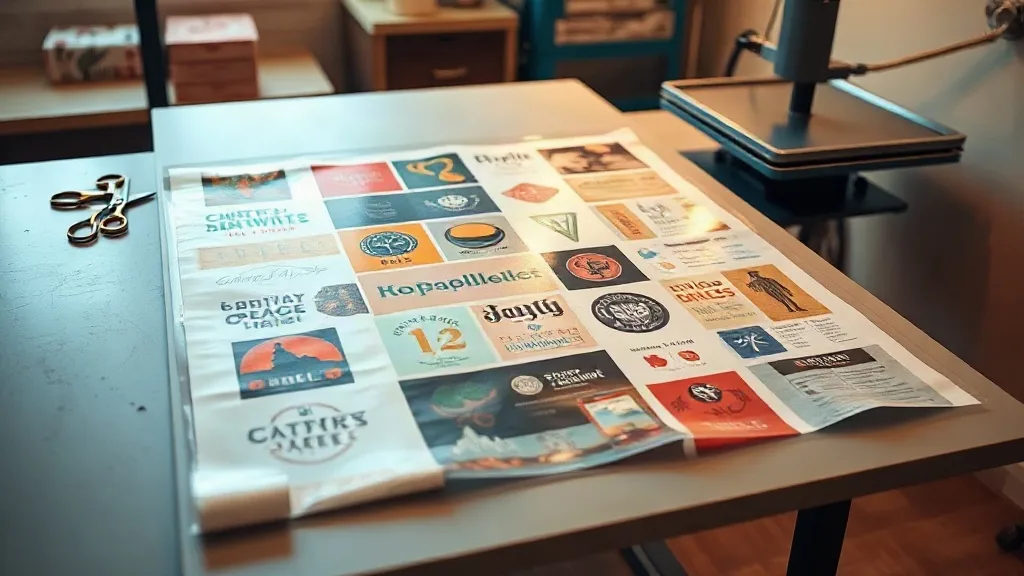
A gangsheet is a single printed film containing multiple designs arranged to fill the available area. The supplier prints it once, cures it, and ships it as one unit. You are paying for film, ink, powder, and press time bundled into a square-inch price, not for individual transfers. That distinction matters because it shifts your job from ordering quantities to engineering a layout.
Two buyers can order the same 22 by 60 inch sheet and get very different value. One packs forty small logos with tight nesting and consistent gutters. The other drops twelve oversized designs with wide margins and ends up paying for empty film. Same product, different cost per usable print. The supplier does not care which buyer you are; your margin does.
Sheet Sizes and Why They Matter
Standard gangsheet widths cluster around 13, 22, and 24 inches, with lengths often set by the roll or by a fixed maximum. Narrower sheets suit small-run shops pressing on a 16 by 20 platen. Wider sheets reward high-volume buyers who can fill them completely. Before you commit to a width, measure your press platen and your storage space. A 24 inch sheet that hangs off the edge of your heat press is a 24 inch sheet you will cut down anyway, which defeats the purpose.
Film Types: Hot Peel, Cold Peel, and What They Cost You
Hot peel film lets the operator remove the carrier while the transfer is still warm, which speeds up production on simple designs. Cold peel film requires the garment to cool before peeling, giving finer control on detailed or layered artwork. Cold peel film generally costs slightly more per sheet, but the difference is small compared to the labor cost of a botched peel. If your team presses a high mix of intricate designs, the extra cents per sheet are usually worth it. If you are running one-color block logos all day, hot peel keeps throughput high.
Preparing Files the Supplier Will Thank You For
Most order delays trace back to artwork, not production. Suppliers receive files with transparent backgrounds saved as JPGs, vector logos with unexpanded strokes, or colors specified in RGB when the print workflow expects something else. Each of these triggers a back-and-forth that pushes your order to the back of the queue.
- Export artwork as PNG at 300 DPI with a genuinely transparent background. A white box behind a logo is the single most common rejection reason.
- Expand all strokes and convert text to outlines before submitting vector files.
- Keep a consistent gutter of at least 0.125 inches between designs so the cutting blade or your own scissors have room.
- Name files by design code and quantity so the supplier can match them to your layout without guessing.
A simple checklist saved as a text file and pasted into every order email saves more time than any software tool. Suppliers remember the buyers who make their job easy, and that goodwill shows up when you need a rush slot.
Color Management on Gangsheets
DTF printing on film handles color differently from screen printing because the white ink layer sits behind the color layer. Bright colors on dark garments depend on that white layer being opaque and evenly cured. When you specify colors, give the supplier hex or Pantone references rather than describing them. If a brand color is critical, order a small test sheet first. A single test run costs far less than reprinting a full gangsheet after a launch.
Layout Density: Where the Money Is Made or Lost
Layout density is the percentage of the sheet covered by usable artwork. A well-packed sheet runs above 70 percent coverage. A loose layout drops to 40 percent or lower, which means you are paying for film you will throw away. The supplier will not flag this for you; they print what you send.
Nesting small designs into the gaps around larger ones is the simplest improvement. A row of pocket logos fits neatly under a back-print design if you plan the order before uploading. Rotating designs to share edges also helps, though keep rotation consistent so the press operator does not have to think about orientation during application.
A Quick Density Calculation
Add up the square inches of all your designs. Divide that by the total sheet area. If the result is below 0.6, rethink the layout before ordering. For a 22 by 60 inch sheet, total area is 1,320 square inches. If your designs add up to 700 square inches, you are at 53 percent coverage and leaving money on the film. Repacking to reach 900 square inches pushes coverage to 68 percent and cuts your effective cost per print by roughly a fifth.
Ordering Math: When a Gangsheet Beats Individual Transfers
Individual transfer orders make sense for one-off jobs or when you need a single design in a single size. Gangsheets win as soon as you have variety. The break-even point usually sits around four to six distinct designs or a mix of sizes that would otherwise require separate orders. Below that, the setup and shipping costs of a gangsheet outweigh the savings.
Run the numbers per design, not per sheet. Take the gangsheet price, divide by the number of usable prints, and compare that to the per-transfer price from your supplier. If the gangsheet comes out cheaper per print and you can use most of the sheet within a reasonable timeframe, order the gangsheet. If half the sheet will sit in storage for months, the individual transfer price may be the better deal despite the higher unit cost.
Storage and Shelf Life
DTF transfers store well in a cool, dry place away from direct sunlight, but they are not indefinite. Plan to use a gangsheet within a few months of receipt. Buyers who order six months of inventory at once often find the film has absorbed moisture or the powder layer has degraded by the time they press the last row. Order in cycles that match your actual production pace.
Working With Your Supplier
The best supplier relationship is boring: predictable files, clear quantities, realistic deadlines. Ask your supplier for their preferred file format, maximum sheet dimensions, and turnaround windows before your first order. Get a sample sheet to check film quality, color accuracy, and how the transfers handle your press. A supplier who cannot provide a sample is a supplier worth skipping.
When something goes wrong, send photos of the film and the pressed result along with the order number. Vague complaints slow resolution. Specific ones get fixed. Most reputable suppliers will reprint a defective sheet if you show them what failed.
Frequently Asked Questions
How many designs should I put on a single gangsheet?
There is no fixed number. The goal is density, not count. A sheet packed with twenty small logos at 70 percent coverage beats a sheet with five large designs at 40 percent. Plan the layout around usable area, then count the designs that fit.
Can I mix hot peel and cold peel designs on one gangsheet?
Usually not. Film type is set per sheet because the entire sheet is printed and cured the same way. If you need both, split the order into two gangsheets. The extra shipping cost is smaller than the risk of pressing a cold peel design as hot peel and ruining the garment.
What resolution do my files need to be?
300 DPI at final print size is the standard. A logo that looks sharp on screen at 72 DPI will print soft and jagged on film. Check the actual pixel dimensions against the intended print size before uploading, not just the file's stated DPI.
How do I calculate cost per print from a gangsheet order?
Divide the total gangsheet price by the number of usable transfers on the sheet. Include shipping and any setup fees in the total. Compare that figure to your supplier's individual transfer price to decide which ordering method fits the job.
Why did my gangsheet arrive with designs cut too close together?
Likely the layout file had insufficient gutters. Keep at least 0.125 inches between designs and confirm the supplier's cutting tolerance before submitting. If you cut transfers yourself, a slightly larger gutter gives you room to work without nicking the artwork.