
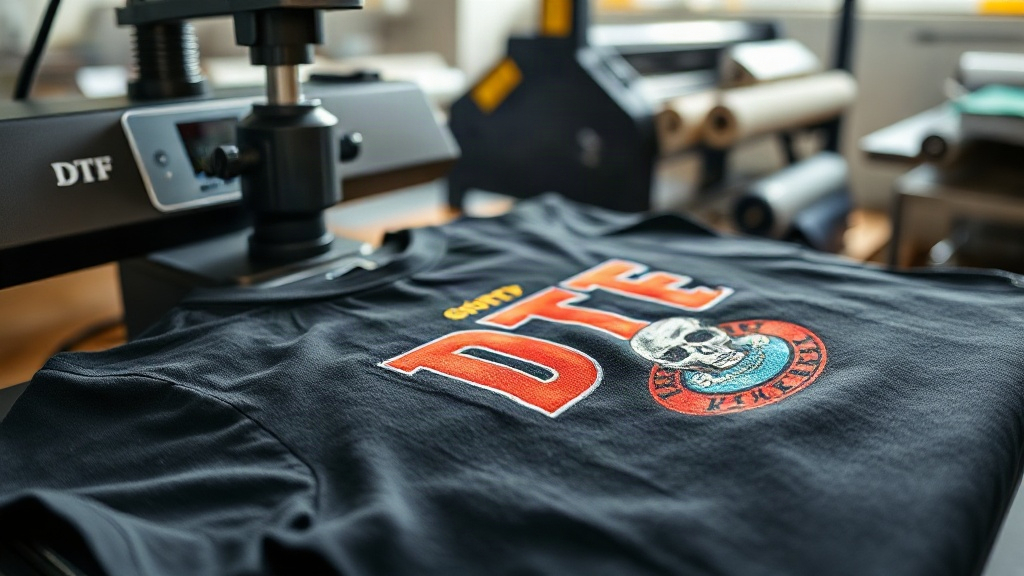
When you're running a print on demand business, choosing the right printing method can make or break your product quality and customer satisfaction. DTF transfers have emerged as a game-changer, offering vibrant colors, exceptional durability, and versatility across different fabric types. Unlike traditional methods that limit your creativity, DTF transfers allow you to print intricate designs on cotton, polyester, blends, and even dark garments without the hassle of weeding or cutting. In this guide, I'll share my firsthand experience with DTF transfers, from selecting the right supplies to troubleshooting common issues, so you can decide if this technology is right for your shop.
What Are DTF Transfers?
DTF stands for Direct to Film. It's a printing process where your design is printed onto a special film, coated with a powder adhesive, and then heat-pressed onto the fabric. The result is a soft, stretchable print that bonds permanently to the material. I remember the first time I tried DTF transfers after years of using vinyl and sublimation. The difference was night and day: no more weeding tiny letters, no more color limitations on dark shirts, and the prints survived dozens of washes without fading or cracking.
The process involves a few key steps: designing your artwork, printing it onto DTF film with a specialized printer, applying hot melt powder, curing the powder, and finally transferring it to your garment with a heat press. Each step has its nuances, but once you get the hang of it, DTF transfers become a reliable workhorse for any print on demand operation.
Why DTF Transfers Stand Out for Print on Demand
Print on demand is all about efficiency and quality. You need a method that delivers consistent results without tying up hours of manual labor. DTF transfers excel here for several reasons:
- No weeding or masking: Unlike vinyl, DTF transfers come ready to press. You simply cut the film, place it on the garment, and press. This saves countless hours on intricate designs.
- Works on multiple fabrics: Cotton, polyester, silk, denim, canvas, and blends all accept DTF transfers well. You're not limited to 100% cotton like with DTG or certain vinyls.
- Vibrant colors on any background: Because the design is printed on a white adhesive layer, colors pop even on black or navy shirts. You can print white ink directly without a separate underbase.
- Durability: When applied correctly, DTF transfers withstand 50+ washes without significant fading, cracking, or peeling. I've personally tested shirts that went through a year of regular wear and they still looked great.
- Cost-effective for small batches: You can print one-off designs or small runs without minimums, making it perfect for print on demand where inventory is made to order.
How to Use DTF Transfers: A Step-by-Step Guide
Getting started with DTF transfers requires some initial investment in equipment and supplies, but the learning curve is manageable. Here's a breakdown of the workflow:
1. Design and Print
Create your artwork in a vector or high-resolution raster format. Mirror the image horizontally before printing. Use a DTF printer with pigment inks and DTF film. I recommend starting with a reputable film brand; cheap films can cause ink bleeding or poor powder adhesion. Print at high quality settings to ensure sharp details.
2. Apply Hot Melt Powder
While the ink is still wet, sprinkle hot melt powder evenly over the printed area. Shake off excess powder and return it to the container for reuse. The powder should only stick to the wet ink. Any powder on the clear film will melt and create a mess during pressing.
3. Cure the Powder
Place the film in a curing oven or under a heat source at around 160°C (320°F) for 2-3 minutes. The powder should melt and become glossy. If you don't have an oven, you can use a heat press with the film sandwiched between two sheets of parchment paper, but an oven gives more even results. After curing, let the film cool completely before storing or using.
4. Heat Press Application
Set your heat press to 160°C (320°F) with medium pressure. Pre-press the garment for 5-10 seconds to remove moisture. Place the DTF transfer on the garment with the printed side facing up (the adhesive side touches the fabric). Press for 15-20 seconds. For best results, use a Teflon sheet or parchment paper over the transfer. Peel the film while it's still warm (warm peel) or let it cool completely (cold peel) depending on the film's instructions. I prefer warm peel as it leaves a smoother finish.
5. Post-Press for Durability
After peeling, cover the design with parchment paper and press again for 5-10 seconds. This step ensures the adhesive fully bonds and improves wash resistance. It's a small extra step that makes a big difference in longevity.
Common Challenges and How to Overcome Them
Even with a solid workflow, you might run into issues. Here are some problems I've encountered and their solutions:
- Ink bleeding or smudging: This usually happens when too much ink is laid down or the film isn't compatible with your printer. Adjust your printer's ink limits and try a different film brand.
- Powder not sticking: If the ink dries before you apply powder, it won't adhere. Work quickly and apply powder immediately after printing. You can also increase humidity in your workspace to slow drying.
- Transfer peeling after washing: This indicates insufficient pressure, temperature, or time during pressing. Invest in a heat press with accurate temperature control and use a pressure gauge. Also, ensure you post-press as described above.
- Stiff or plastic feel: DTF transfers can feel slightly thicker than DTG or screen printing. To minimize this, use a thinner film and avoid over-inking. Some newer films offer a softer hand feel.
DTF Transfers vs. Other Printing Methods
How does DTF stack up against DTG, sublimation, and vinyl? Let's compare:
- DTG (Direct to Garment): Best for 100% cotton and light colors. DTF works on more fabrics and dark colors without pretreatment. DTG often requires pretreating, which adds time and cost.
- Sublimation: Only works on polyester or poly-coated items. DTF works on cotton and blends. Sublimation offers a softer feel but limited color vibrancy on dark fabrics.
- Vinyl (HTV): Great for simple one-color designs. DTF handles complex, multi-color designs without weeding. Vinyl is cheaper for basic text but labor-intensive for detailed graphics.
For print on demand, DTF transfers provide the best balance of versatility, quality, and efficiency for most apparel businesses.
Tips for Scaling Your DTF Transfer Production
As your order volume grows, you'll need to optimize your DTF process. Here's what worked for me:
- Invest in a dedicated DTF printer: Using a converted inkjet printer can work initially, but a purpose-built DTF printer with a roll feeder and powder shaker saves hours per day.
- Organize your designs: Keep a digital library of your transfers, labeled by size and film type. This reduces setup time when orders come in.
- Batch similar orders: Print multiple designs on one film sheet, then cut and press them in batches. This maximizes printer efficiency.
- Maintain your equipment: Clean your printer heads regularly, store film in a dry place, and replace powder when it gets clumpy. Neglect leads to costly downtime.
- Test wash durability: Before offering a new garment or film, run a wash test. I always wash a sample 5 times and inspect for cracking. This ensures you deliver quality.
Frequently Asked Questions About DTF Transfers
Can I use DTF transfers on 100% polyester?
Yes, DTF transfers work well on polyester. However, you should lower the heat press temperature to around 140-150°C (280-300°F) to avoid scorching or dye migration. Polyester can also cause the print to feel slightly stiffer, but it adheres well with proper settings.
How long do DTF transfers last?
With proper application and care, DTF transfers can last as long as the garment itself. Expect 50+ washes without significant fading or peeling. To extend life, wash inside out in cold water and avoid harsh detergents or dry cleaning.
Do I need a special printer for DTF transfers?
You need a printer that uses DTF pigment inks and can handle DTF film. Many people convert Epson printers, but dedicated DTF printers are more reliable for production. They come with white ink circulation systems, which are essential for consistent output.
What's the difference between DTF and DTG?
DTG prints directly onto the garment, while DTF prints onto a film that is then transferred. DTF works on more fabric types, including dark colors, and doesn't require pretreatment. DTG is limited to cotton and requires pretreatment for dark shirts, but it can produce a softer feel on light garments.
Can I sell DTF-printed shirts online?
Absolutely. Many print on demand sellers use DTF transfers because they allow for high-quality, durable prints without inventory. Just ensure you comply with copyright laws and use your own designs or licensed artwork.